We recommend removing the app from your mobile, reinstalling your browser, and then reinstalling the app. You can also try clearing the mobile browser cache to improve performance.
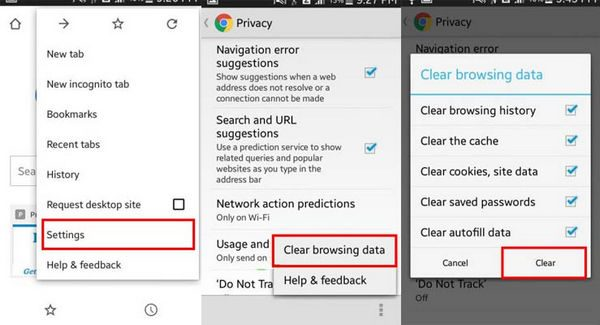
How to Clear Browser Cache:
- Open the Chrome app on your Android phone or tablet.
- Tap the More icon (three dots) at the top right.
- Tap History, then select Clear browsing data.
- Choose a time frame at the top; to clear everything, select All Time.
- Check the boxes for “Cookies and site data” and “Cached images and files”.
- Tap Clear data to finish.
This should help resolve any issues you’re encountering!