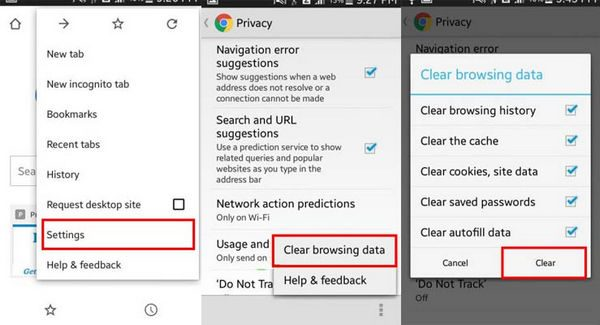
- Open the Chrome app on your Android phone or tablet.
- Tap the More icon (three dots) at the top right.
- Select History, then tap Clear browsing data.
- Choose a time range at the top. To delete all data, select All time.
- Check the boxes next to “Cookies and site data” and “Cached images and files”.
- Tap Clear data to complete the process.
This should help clear any stored data and improve your browsing experience!